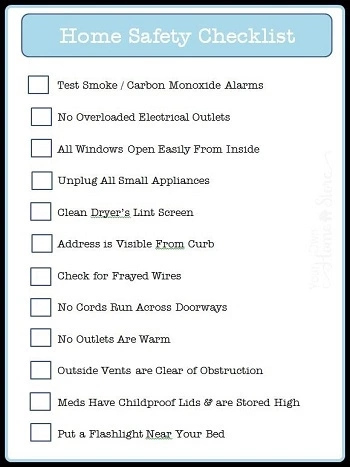
Safety management is essential in every organization — whether in manufacturing, construction, healthcare, education, retail, or corporate environments. Effective safety managers use tools that simplify risk assessment, streamline safety processes, enhance compliance, and protect workers. In a world where workplace hazards are diverse and regulations continually evolve, selecting the right safety management tools is critical.
This article highlights the Top 10 Safety Management Tools that professionals can use to strengthen their safety programs. Each tool is explained in depth, including key benefits, practical usage, and when to use the tool in your safety management system (SMS).
Free Safety Management Tools
1. 5×5 Risk Assessment Calculator
The 5×5 Risk Assessment Calculator is a cornerstone tool in safety management. It’s widely used to evaluate the level of risk by analyzing the likelihood and severity of hazards. The essence of this tool is its ability to transform subjective hazard perceptions into objective risk ratings — helping safety professionals prioritize corrective actions.
What is a 5×5 Risk Assessment Calculator?
At its core, the 5×5 Risk Assessment Calculator evaluates risk scores on a matrix from 1 (low) to 5 (high) for both likelihood and severity:
-
Likelihood (1–5): The probability that a hazard will result in an incident.
-
Severity (1–5): The impact or consequences if an incident occurs.
The calculator outputs a risk score (1–25), enabling safety teams to categorize hazards as Low, Medium, High, or Critical. This helps organizations prioritize high-risk issues and allocate resources effectively.
Why It’s an Essential Safety Management Tool
-
Improves objectivity: Risk levels are quantified, reducing guesswork or bias.
-
Enhances communication: Stakeholders can clearly see which hazards need urgent attention.
-
Supports decision-making: Risk scores guide the planning of controls and preventive measures.
-
Complies with standards: Many international safety frameworks (such as ISO 45001) emphasize risk-based thinking, making this tool compliant with best practices.
How to Use the 5×5 Risk Assessment Calculator
-
Identify hazards: List all potential hazards in a work process.
-
Estimate likelihood: Assign a rating (1–5) based on how often the hazard could occur.
-
Estimate severity: Assign a rating (1–5) based on the potential impact of the incident.
-
Calculate risk score: Multiply likelihood by severity.
-
Categorize risk: Use the resulting score to classify the level of risk and plan mitigation.
For example, if a hazard has a likelihood of 4 (likely) and severity of 5 (catastrophic), the risk score is 20 (4×5) — indicating a high priority action item.
Benefits of Using the 5×5 Calculator in Safety Programs
-
Streamlines hazard analysis for complex tasks.
-
Facilitates compliance during audits or safety reviews.
-
Encourages proactive hazard control rather than reactive incident response.
-
Improves documentation, crucial for legal or regulatory purposes.
By standardizing risk assessment, the 5×5 Risk Assessment Calculator remains a practical, powerful tool that safety professionals rely on daily.
2. Job Safety Analysis (JSA) Template
A Job Safety Analysis (JSA) is a foundational safety tool used to break down work tasks step by step to identify hazards and determine controls. It’s particularly valuable in high-risk industries such as construction, oil & gas, mining, and manufacturing.
Definition and Purpose
A JSA systematically analyzes each part of a job:
-
What tasks are involved?
-
What hazards exist?
-
What controls are needed to eliminate or reduce the hazards?
The goal is to prevent incidents before they occur by planning the safest way to perform a job.
Key Features of a JSA Template
A typical JSA template includes the following columns:
-
Task Steps: Sequence of actions required to complete a job.
-
Hazards: Potential dangers associated with each step.
-
Risk Rating: Evaluation of the severity and likelihood of the hazard.
-
Controls: Measures to eliminate or reduce the hazard.
-
Responsible Person: Who will implement the control?
How JSAs Improve Workplace Safety
-
Clarifies tasks: Workers and supervisors share a common understanding of procedures.
-
Prevents incidents: Hazards are identified before work begins.
-
Standardizes safety: Promotes consistent practices across teams.
-
Builds training content: JSAs often become the basis for safety training modules.
When to Use JSAs
-
Before introducing new equipment or processes.
-
After a near miss or incident.
-
Periodically during routine operations.
-
When training new workers or contractors.
Benefits for Safety Leaders
A JSA helps safety leaders enforce accountability, ensure staff understand hazards, and continually reduce workplace risk. When used consistently, JSAs promote a proactive safety culture that minimizes downtime and protects lives.
3. Incident Reporting and Investigation Form
Incident reporting is a critical element of any safety program. Without accurate reporting and investigation, hazards remain unidentified and unsafe conditions persist.
Overview of Incident Reporting Tools
An Incident Reporting and Investigation Form is a document that captures details when an incident, near miss, or unsafe act occurs. It serves two main purposes:
-
Recording facts: What happened, who was involved, and what were the conditions?
-
Analyzing causes: Identifying root causes to prevent recurrence.
Key Components of an Incident Form
A robust incident form typically includes:
-
Date, time, and location
-
Description of incident
-
People involved
-
Witness statements
-
Immediate corrective actions
-
Root cause analysis section
-
Recommendations for prevention
Why Incident Reporting Matters
-
Prevention: Investigating incidents helps uncover hazards that were not previously identified.
-
Compliance: Regulatory bodies often require incident logs and corrective action documentation.
-
Learning opportunities: Incidents are used to train teams and mitigate future risk.
Best Practices for Incident Reporting
-
Report all incidents promptly – even near misses.
-
Encourage workers to report hazards without fear of retaliation.
-
Investigate thoroughly, identifying both direct and root causes.
-
Track corrective actions to ensure effectiveness.
Benefits for Safety Programs
Incident reporting improves transparency and accountability. Organizations that treat near misses as learning opportunities often see significant reductions in injury rates and improved employee engagement in safety initiatives.
4. Safety Audit Checklist
Safety audits are systematic evaluations of safety practices, equipment, and compliance. An Audit Checklist helps safety professionals ensure that standards are met and opportunities for improvement are uncovered.
What is a Safety Audit Checklist?
A safety audit checklist is a comprehensive list of items to review during a safety audit. It ensures that nothing is overlooked and that auditors consistently inspect key safety elements.
Checklists may cover:
-
Training records
-
Equipment maintenance
-
Hazard communication
-
PPE compliance
-
Emergency preparedness
How to Use a Safety Audit Checklist
-
Plan the audit: Define the scope and areas to inspect.
-
Select or customize a checklist: Use standard checklists like OSHA, ISO 45001, or industry-specific ones.
-
Walk the site: Observe conditions and record findings.
-
Document non-compliance: Note issues that require action.
-
Provide a report: Share results with management and assign corrective activities.
Benefits of Using a Checklist
-
Consistency: Every audit follows the same criteria.
-
Thoroughness: Ensures critical safety items aren’t missed.
-
Benchmarking: Compare audit results over time.
-
Action planning: Highlights areas needing improvement.
Why Audits Matter
Safety audits not only ensure legal compliance, but they also build confidence among workers that management is committed to safety. Regular audits uncover latent hazards that might otherwise go unnoticed until an incident occurs.
5. Toolbox Talk Templates
Toolbox talks are brief safety discussions held before work starts. They are a powerful tool for reinforcing safety awareness and reminding teams of key safety rules.
Purpose of Toolbox Talks
Toolbox talks:
-
Cover a single safety topic
-
Are short and focused
-
Encourage worker engagement
-
Reinforce best practices
Common topics include:
-
PPE use
-
Ladder safety
-
Hazard communication
-
Working around machinery
What Makes a Good Toolbox Talk Template?
A strong template includes:
-
Topic title
-
Key safety points
-
Questions for discussion
-
Sign-in sheet
-
Leader and date information
Benefits of Toolbox Talks
-
Reinforces safety culture
-
Provides documented training
-
Encourages worker participation
-
Raises hazard awareness daily
Best Practices
-
Keep talks under 15 minutes.
-
Make them interactive – ask questions.
-
Use real examples or recent near misses.
-
Document attendance.
Toolbox talks are one of the most cost-effective and impactful safety tools available — especially in high-risk industries where regular reminders save lives.
6. Corrective Action and Preventive Action (CAPA) Tracker
The CAPA Tracker is a tool used to record, track, and ensure completion of corrective and preventive actions that arise from audits, incidents, or inspections.
Understanding CAPA
-
Corrective actions fix existing issues.
-
Preventive actions stop potential issues from occurring.
Unlike simple to-do lists, a CAPA Tracker:
-
Establishes accountability
-
Sets due dates
-
Tracks verification and closure
-
Records effectiveness checks
Key Elements of a CAPA Tracker
A comprehensive tracker includes:
-
Description of issue
-
Root cause
-
Action steps
-
Responsible person
-
Timeline
-
Verification of completion
Why CAPA Matters in Safety
Safety is dynamic — hazards evolve as operations change. CAPA systems ensure that issues identified through audits or incidents are not forgotten.
Benefits of a CAPA Tracker
-
Tracks progress
-
Prevents repeat incidents
-
Improves accountability
-
Generates trend data for safety analytics
For mature safety programs, CAPA trackers are essential for continuous improvement and effective risk management.
7. Safety Training Matrix
A Safety Training Matrix is a tool that maps required safety training to employees. It ensures each worker receives the right training for their role and keeps training records organized.
Components of a Training Matrix
A robust matrix includes:
-
Employee names
-
Job roles
-
Required training topics
-
Dates of completion
-
Renewal dates
Why Training Matrices Matter
Training is a legal requirement and a core element of safety culture. A training matrix helps organizations:
-
Identify training gaps
-
Track competency
-
Ensure compliance with regulations
How to Create an Effective Matrix
-
List job roles.
-
Identify required safety topics per role.
-
Record completed training.
-
Set reminders for renewals.
Benefits
-
Ensures compliance
-
Improves worker competence
-
Identifies training needs
-
Reduces the risk of untrained workers performing hazardous tasks
Training matrices simplify what could otherwise be chaotic or incomplete training records.
8. Hazard Reporting Card System
A Hazard Reporting Card System empowers workers to report unsafe conditions quickly and easily. The system can be paper-based or digital.
Why Hazard Reporting Matters
Workers are often the first to see hazards. A reporting card system:
-
Encourages participation
-
Improves hazard visibility
-
Promotes ownership of safety
Key Features
Good hazard reporting systems have:
-
Clear instructions
-
Simple reporting fields
-
Anonymous options
-
Follow-up procedures
Benefits
-
Increases hazard detection
-
Supports proactive safety improvement
-
Builds trust between workers and management
When employees feel safe reporting hazards without fear of retaliation, workplace safety improves significantly.
9. Emergency Response Plan Template
Emergency plans are crucial for dealing with unexpected events like fires, chemical spills, medical emergencies, or natural disasters. Having a formal plan ensures organizations can respond effectively when needed.
What a Template Includes
-
Emergency contacts
-
Roles and responsibilities
-
Evacuation routes
-
Assembly points
-
Communication procedures
-
Training and drills
Why Emergency Plans Matter
Emergencies can cause chaos. A well-developed plan reduces confusion, limits damage, and protects lives.
Benefits of Using a Template
-
Standardizes critical information
-
Saves time during planning
-
Ensures nothing is overlooked
-
Supports drills and testing
Emergency response templates are indispensable in industries with high potential for large-scale incidents.
10. Safety Performance Dashboard
A Safety Performance Dashboard is a visual tool that tracks key safety metrics, such as:
-
Incident rates
-
Near misses
-
Training compliance
-
Audit findings
-
Corrective action status
Purpose of a Dashboard
Dashboards translate raw data into meaningful insights. This helps safety leaders:
-
Monitor trends
-
Spot areas needing intervention
-
Communicate performance to leadership
Key Features
-
Charts and graphs
-
Real-time data
-
Customizable metrics
-
Comparisons over time
Benefits
-
Improves decision-making
-
Supports proactive prevention
-
Drives accountability
-
Enhances communication with stakeholders
Dashboards help safety programs move from reactive to predictive and performance-driven.
11. Highly Hazardous Chemical Threshold Checker Free
The Hazardous Chemical Threshold Checker is a free compliance screening tool designed to help facilities determine whether the quantity of a chemical on-site meets or exceeds regulatory threshold limits under Process Safety Management (PSM) and related hazardous chemical regulations. By entering the chemical name or CAS number, quantity, and unit of measurement, users can quickly assess potential regulatory applicability without manual calculations.
Who Should Use It
This tool is ideal for:
-
HSE Managers
-
Process Safety Engineers
-
Environmental Compliance Officers
-
Plant Managers
-
Chemical Warehouse Supervisors
-
Safety Consultants and Auditors
Any organization that stores, handles, or processes regulated chemicals can benefit from using this checker.
Why It’s Important
Exceeding threshold quantities can trigger mandatory compliance requirements under standards such as 29 CFR 1910.119 and 40 CFR Part 68.
Failing to identify when your facility crosses these limits can lead to regulatory penalties, legal liability, or operational shutdowns. This tool helps you make fast, informed decisions before compliance risks escalate.
How It Is Used
-
Enter the chemical name or CAS number.
-
Input the quantity stored or processed.
-
Select the unit (lbs or kg).
-
Add additional chemicals if needed.
-
Click “Check Threshold” to view your result.
The system instantly evaluates whether the entered quantity meets or exceeds regulatory threshold levels, helping you take appropriate next steps.
Conclusion
Selecting the right safety management tools is essential for building a strong safety culture, reducing incidents, and meeting compliance requirements. From risk assessment calculators to performance dashboards, each tool plays a unique role in modern safety management systems.
By implementing these top tools, safety leaders can:
✅ Improve hazard identification
✅ Strengthen risk mitigation
✅ Foster continuous improvement
✅ Protect employees and the organization
Whether you’re a safety manager, supervisor, or business owner, these tools provide the structure and insights needed to lead with confidence and build a safer workplace for all.